Progress Spinner

Progress spinner provides reassurance to users that the app hasn’t crashed when they are executing lengthy and/or stressful tasks.

Animated progress spinner with content
When to use
  • When the user is executing long and/or stressful tasks (e.g uploading documents, sending money or retrieving card details.)
  • Don’t use for actions that typically load within one second.

Example of the send money flow

Use when user is executing lengthy and stressful tasks.

Progress Spinner vs Progress bar
Progress spinner with changing content
Progress Spinners

Progress spinners are used to add reassurance when the user is executing long and/or stressful tasks. Stressful tasks can include situations like, uploading documents, sending money or retrieving card details.

Progress bar animating
Progress Bar

Progress bars are used when the user is performing generic tasks that usually load fast. Generic tasks can include situations like loading content following navigation or loading data in background after an action has been performed. To find out more on when to use progress bars click here.

Best Practice

Below are a few examples of best practices to consider when using the progress spinner.

Bad use of the progress spinner on top of a dark green background
Progress spinner with a message to give context.

Add contextualised message to explain why the user needs to wait.

Bad example of progress spinner use with blur.
Content

The spinner and content is always displayed immediately and cycles indefinitely until screen has loaded. The content cycles between four different lines of messaging. The first line of messaging can be changed to give context and explain why the user needs to wait.
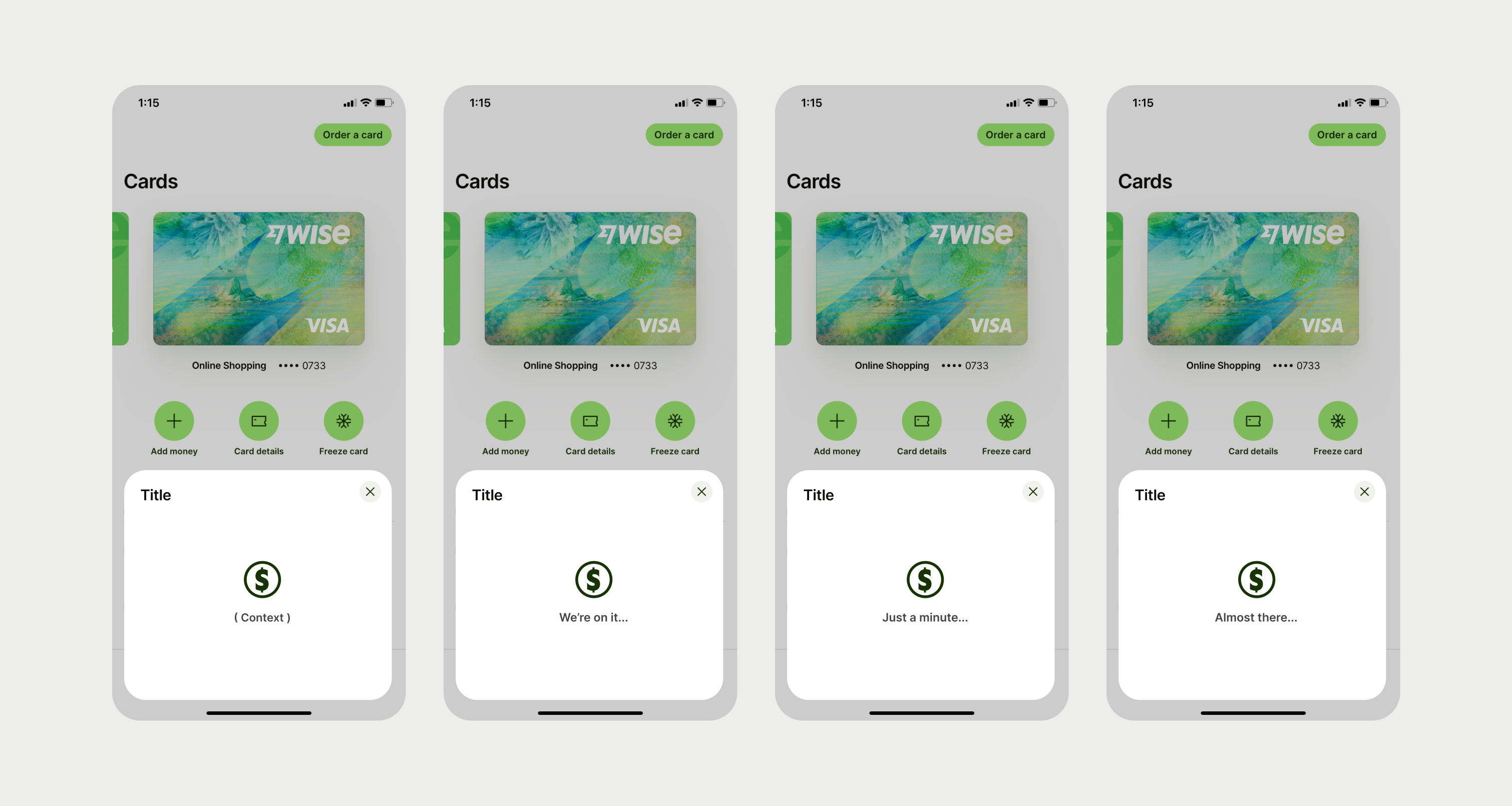
Four examples of different messaging used underneath the spinner
Placement

The spinning progress indicator should be centred horizontally and vertically within containers on mobile and web. Test the whole flow to check the screen loaders are consistent in terms of screen location and size. This will help to ensure that spinners that occur one after the other on different screens have the same size and position.

Archived copy · notes